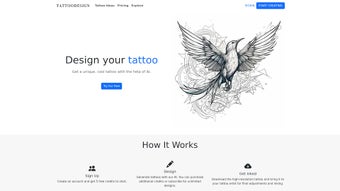

Download TattooDesign – AI‑Powered Tattoo Design Tool, Free Trial, Secure & Easy
Overview
TattooDesign is a web‑based, AI‑driven platform that transforms a simple idea into a professional‑grade tattoo concept in a matter of seconds. The service combines a deep‑learning model trained on thousands of tattoo styles with a clean, responsive interface, allowing anyone—from first‑time clients to seasoned tattoo artists—to generate high‑resolution artwork without needing any graphic‑design background. After creating an account, users receive a starter pack of five free credits that can be spent on generating distinct designs.
Each credit creates a set of three to five variations based on the supplied input, whether that is a textual prompt, an uploaded sketch, or a mood‑board collection. The AI interprets keywords such as “minimalist line work” or “vibrant watercolor phoenix” and produces variations that respect the chosen style, composition, and color palette. Once a design feels right, it can be downloaded instantly as a PNG or SVG file at 300 DPI or higher, ready for a professional tattoo artist to refine and ink.
The platform also offers a secure cloud storage feature, keeping generated files encrypted for up to 30 days, and a collaboration mode that lets artists add comments directly on the design via a private link. While the core functionality is free for trial users, paid plans unlock unlimited credits, priority rendering, and batch‑download options. This review explores the key features, step‑by‑step usage, system compatibility, the advantages and drawbacks, and answers the most common questions prospective users may have.
Key Features That Distinguish TattooDesign
TattooDesign’s feature set is built around speed, flexibility, and artistic depth. The AI engine can instantly generate concepts in a wide array of tattoo genres, from traditional American and Japanese Irezumi to modern geometric and watercolor styles. Users benefit from a credit‑based system that provides transparency on usage while allowing free experimentation through the initial credit bundle.
High‑resolution export ensures the artwork is ready for professional use, and the built‑in editor lets creators fine‑tune line weight, shading, and color without leaving the browser. Security is a priority; all files are stored on AES‑256 encrypted servers and are automatically purged after 30 days unless saved locally. Collaboration mode creates a seamless feedback loop between client and artist, eliminating the need for back‑and‑forth email attachments.
Regular monthly updates expand the style library, introduce new AI filters, and improve rendering speed. Below is a detailed list of the most valuable capabilities:
- AI‑Driven Concept Generation: Proprietary deep‑learning model creates bespoke designs from keywords, sketches, or mood boards.
- Extensive Style Library: Supports traditional, neo‑traditional, Japanese Irezumi, geometric, black‑and‑gray, watercolor, minimalist line work, and more.
- Credit‑Based Access: Free starter credits, purchasable credit packs, and a clear usage dashboard.
- High‑Resolution Export: Download PNG (transparent) or SVG at 300 DPI+ for print‑ready or vector‑based workflows.
- Real‑Time Editing Tools: Adjust composition, line thickness, contrast, and color palette directly in the browser.
- Secure Cloud Storage: Encrypted storage for up to 30 days, protecting intellectual property.
- Collaboration Mode: Share a private, comment‑enabled link with tattoo artists for seamless revisions.
- Cross‑Platform Web App: Works on any modern browser across Windows, macOS, Android, and iOS—no installation required.
- Monthly Model Updates: New style filters, trend‑driven enhancements, and performance optimizations.
- Customer Support & Community: Live chat, knowledge base, and an active user forum showcasing completed tattoos.
Installation & Usage – From Sign‑Up to Final Download
Step‑by‑Step Registration
1. Navigate to tattoodesign.com and click “Get Started.”
2. Enter a valid email address, create a strong password, and confirm the account via the verification email.
3. Upon first login, the dashboard grants five free credits, allowing you to generate up to five distinct tattoo concepts without payment.
Generating Your First Design
From the main dashboard, select “Create New Design.” You will then choose one of three input methods:
- Keyword Prompt: Type a concise description, e.g., “black‑and‑gray minimalist compass with a rose.”
- Image Upload: Provide a hand‑drawn sketch or reference photo; the AI reinterprets it in the selected style.
- Mood Board: Drag and drop multiple images to guide the AI’s creative direction.
After submitting, one credit is deducted and the system begins rendering. In 15‑30 seconds (depending on server load), a gallery of three to five variations appears. Use the built‑in editor to tweak line thickness, adjust contrast, or swap colors. When satisfied, click “Download High‑Res” to save a PNG or SVG file to your device.
Managing Credits & Upgrading
If you run out of free credits, visit the “Credits” tab. Packages start at $9.99 for 20 credits, with bulk discounts for larger bundles. All purchases are processed securely via Stripe, and a receipt is emailed instantly. Paid users also benefit from “Priority Render,” which reduces waiting time to under 10 seconds per design and unlocks batch‑download functionality.
Best Practices for Working with a Tattoo Artist
After downloading, schedule a consultation with your chosen tattooist. Share the high‑resolution file via email, cloud link, or the built‑in “Collaboration Mode” link, which lets the artist add annotations directly on the design. This iterative feedback loop ensures the final ink respects skin placement, anatomical flow, and size constraints. Many artists appreciate receiving SVG files because they can scale the artwork without loss of detail, while PNG files are ideal for quick visual reference.
Compatibility, Pros & Cons, FAQ & Final Thoughts
TattooDesign is a pure web application, meaning it runs on any device with a modern browser (Chrome, Edge, Firefox, Safari). No downloads or installations are required, making it compatible with Windows 10/11, macOS Monterey and later, Android 8+, and iOS 13+. For optimal performance, enable hardware acceleration in your browser settings and maintain a stable internet connection of at least 5 Mbps.
Pros
- Instant AI generation eliminates the need for manual sketching.
- High‑resolution PNG and vector SVG exports are ready for professional tattoo work.
- Free trial credits allow risk‑free testing of core features.
- Extensive style library caters to diverse artistic preferences.
- Secure cloud storage protects intellectual property with AES‑256 encryption.
- Cross‑platform accessibility works on laptops, tablets, and smartphones.
Cons
- Credit system may feel limiting for power users without a subscription.
- Complex, highly detailed concepts sometimes require additional manual refinement by an artist.
- Render speed can vary during peak server load, causing minor delays.
- The AI may misinterpret very abstract or ambiguous prompts.
- No native offline desktop application is available.
Frequently Asked Questions (FAQ)
How many free credits do I receive when I sign up?
New users are granted five free credits, allowing up to five tattoo concepts without any payment.
Can I use TattooDesign on a mobile device?
Yes. Because the platform runs entirely in a web browser, it works on Android and iOS smartphones and tablets. The responsive interface adapts to smaller screens, though a tablet provides a more comfortable editing experience.
What file formats are available for download?
Designs can be downloaded as PNG (transparent background) or SVG (vector) files, both at 300 DPI or higher. SVG is ideal for artists who need to scale the artwork without loss of quality.
Is my data safe on TattooDesign’s servers?
TattooDesign employs AES‑256 encryption for all stored files and uses SSL/TLS for data transmission. Files are automatically deleted after 30 days unless you download them or request extended storage.
Do I need any special software to edit the downloaded designs?
No special software is required for viewing PNG files. If you want to make further adjustments, any vector editor (Adobe Illustrator, Inkscape) can open SVG files, while raster editors (Photoshop, GIMP) can work with PNGs.
Conclusion & Call to Action
TattooDesign stands out as a powerful, AI‑driven ally for anyone looking to bring a personal vision to life on skin. Its blend of instant concept generation, high‑resolution output, and cross‑platform accessibility reduces the barrier between imagination and ink. While the credit‑based model may require a modest investment for heavy users, the free trial is generous enough to evaluate whether the tool matches your creative workflow.
Whether you are a first‑time client searching for a unique design or a professional tattoo artist seeking a rapid prototyping solution, TattooDesign offers a secure, modern, and artist‑friendly environment. Ready to see your ideas transformed into art? Create your free account today and start generating tattoo concepts that truly reflect your story.



.png)



